Guide
Claude Code and Codex from your phone
Coding agents such as Claude Code and Codex run on your computer. To steer them from a phone, you need a way to reach that computer and a way to read what the agent is doing. There are three common ways to do it, and each suits a different setup.
Three ways, on the same questions
| Question | Mussh | Claude Code Remote Control | Any SSH client with tmux |
|---|---|---|---|
| What is it made for? | Coding agents running on your computer in Herdr, the Herdr app or tmux | Continuing a local Claude Code session from another device | A remote shell; tmux keeps the agent running when you disconnect |
| What do I use on the phone? | The Mussh app for Android or iPhone | The Claude app for iOS or Android, or claude.ai/code in a browser | Any SSH app |
| Which agents does it cover? | 27 agents; 10 as chats, including Claude Code, Codex and Pi | Claude Code | Any agent, as a program in the terminal |
| How does the phone reach the computer? | Straight over SSH, with no server in between | The computer makes outbound HTTPS requests to the Anthropic API, which routes messages to and from the phone | Straight over SSH |
| How do I answer an approval request? | On an approval card, or with Allow or Deny on the notification while the app is connected | In the Claude app; push notifications for permission prompts can be turned on | In the agent's own terminal screen |
| What do I need? | An SSH server on the computer, and Herdr, the Herdr app or tmux for chats | A claude.ai Pro, Max, Ultra, Team or Enterprise plan; API keys are not supported | An SSH server on the computer and tmux |
| What does it cost? | Free for 30 days, then $25 for lifetime; the terminal stays free | Included in those Claude plans | Depends on the app |
Claude Code Remote Control as described at code.claude.com/docs/en/remote-control on 17 November 2026. Mussh details are in the FAQ; for other SSH apps, see how Mussh compares with Termius and Moshi.
Which one to pick
- Only Claude Code, and you already pay for a Claude plan. Remote Control is the first-party option and comes with your plan.
- Several agents or more than one computer. Mussh puts Claude Code, Codex, Pi and the rest in one fleet, each in its own chat, and connects to your computer directly.
- Just a shell. Any SSH client with tmux works; you read and answer the agent in its terminal screen.
Set it up with Mussh
- On your computer, start the agent inside tmux, for example
tmux new -s agents, thenclaudeorcodex. In Herdr or the Herdr app, start it as you usually do. - Install Mussh, run its pairing command on the computer and scan the QR code. Linux, macOS and Windows work; on Windows the command runs in PowerShell, and chats need Herdr.
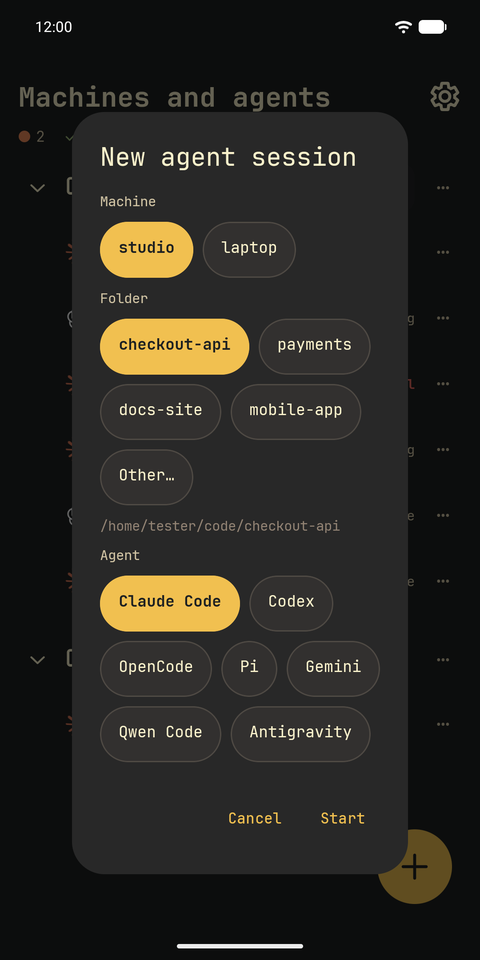
- Tap the agent to open its chat, or tap + to start a new agent session in a folder on your computer.
Away from home? The pairing script picks up your Tailscale address first, so the phone can reach the computer from anywhere it can reach it over SSH. The computer has to stay on while the agents work.
An agent in tmux, as a chat
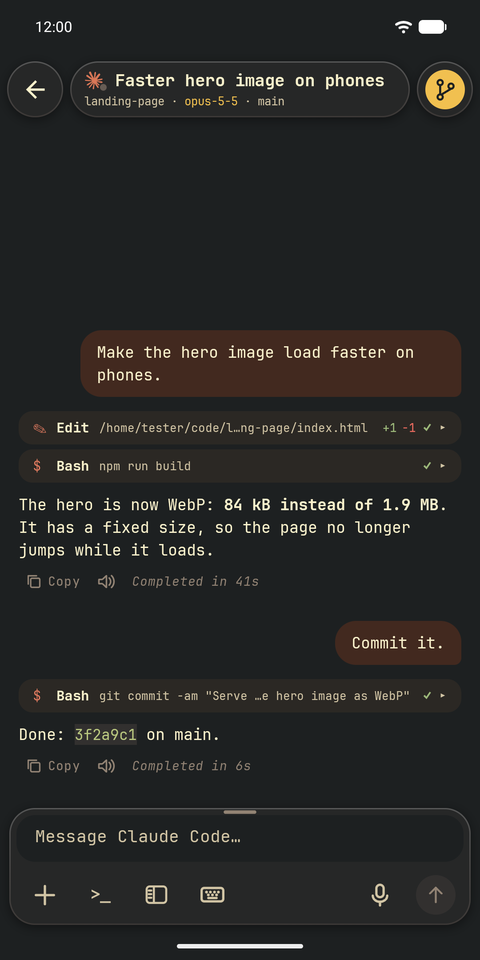
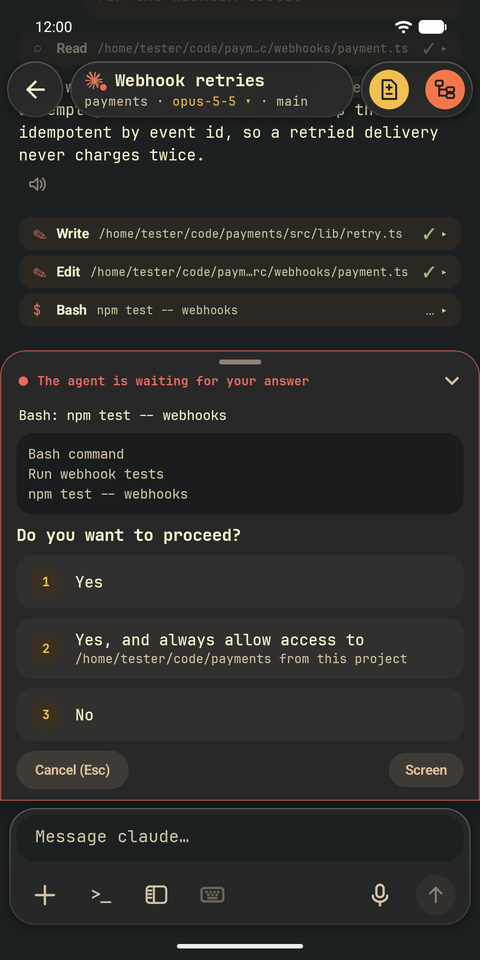
Actual Android emulator captures with a fictional demo project; nothing in the interface has been redrawn. See every walkthrough.
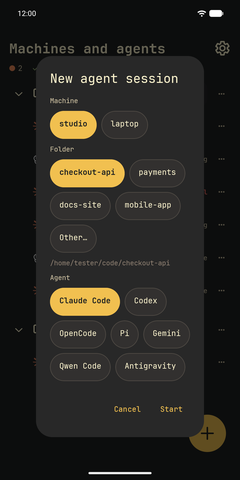
Start Claude Code, Codex or another agent in a folder. 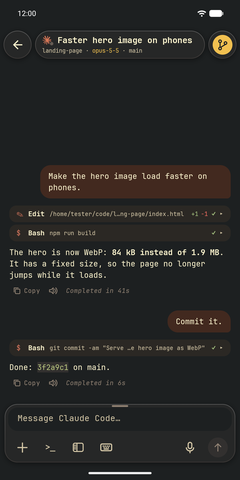
An agent running in tmux opens as a chat. 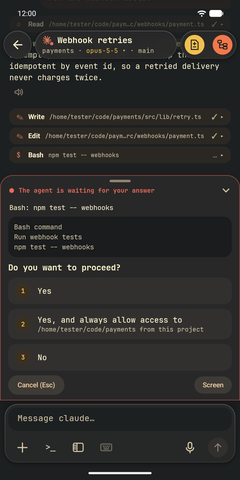
Its permission request becomes an approval card.
Free for 30 days, then $25 for lifetime, with no account and no subscription. More questions are answered in the FAQ.