
Compare
Mussh vs Termius
Termius is a general SSH client for looking after servers, on your phone and your desktop. Mussh is an SSH client for Android and iPhone made for coding agents that run on your own computer. If your phone time is mostly reading an agent's reply, answering its approval request and checking the diff, this is how the two compare.


Mussh and Termius on the same questions
| Question | Mussh | Termius |
|---|---|---|
| What is it made for? | Coding agents running on your computer in Herdr, the Herdr app or tmux | Managing servers over SSH, on your own or as a team |
| Which devices does it run on? | Android and iPhone | iPhone, iPad and Android, plus macOS, Windows and Linux |
| Which computers can it connect to? | Any SSH server for the terminal; agent chats on Linux, macOS and Windows, with Windows over its own OpenSSH Server | Any SSH server, plus SFTP, Telnet, Mosh and serial connections |
| Do coding agents get a chat view? | Yes, 10 agents, including Claude Code, Codex and Pi (full list) | Not listed; an agent runs as a program in the terminal |
| How do I answer an approval request? | On an approval card with answer buttons, or with Allow or Deny on the notification while the app is connected | Not listed; you answer in the agent's own terminal screen |
| Can I see what the agent changed? | Change review file by file, git history and a read-only file reader | An SFTP file manager for the server's files |
| Is there an account or sync? | No account and no sync; each phone pairs with its own key | The free plan keeps a local vault; Pro adds a personal cloud vault synced across mobile and desktop |
| What does every feature cost? | Free for 30 days, then $25 for lifetime; the terminal stays free | Starter is free; Pro is $10 a month and Team $20 and Business $30 per seat a month, each paid annually |
Termius features and prices as published at termius.com and termius.com/pricing on 17 November 2026. "Not listed" means the feature is not on those pages. Store prices can differ by country. Mussh details are in the FAQ and on the pricing page.
Reasons to switch to Mussh for agent work
- Read the reply, not the scrollback. Each supported agent opens as its own chat, with folded tool calls and code blocks that fit a phone screen.
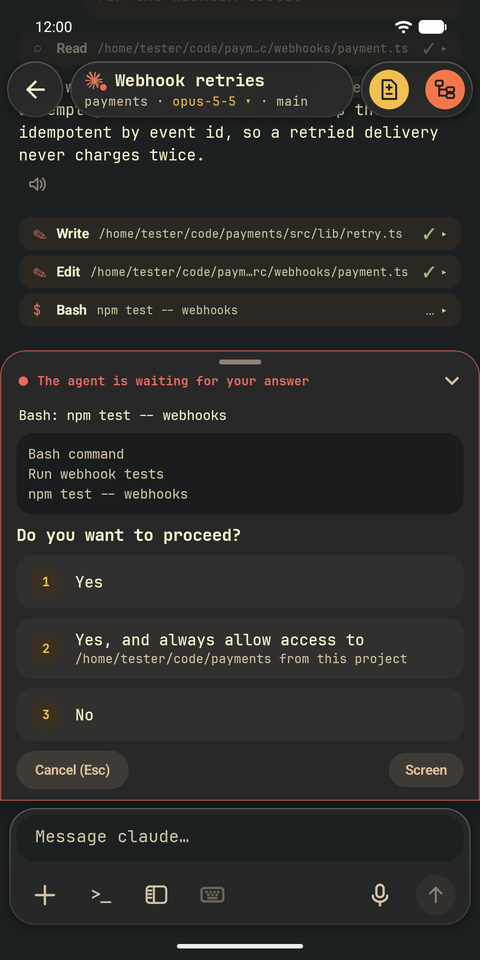
- Answer approvals with a tap. The approval card shows the exact command and the answers the agent offers.
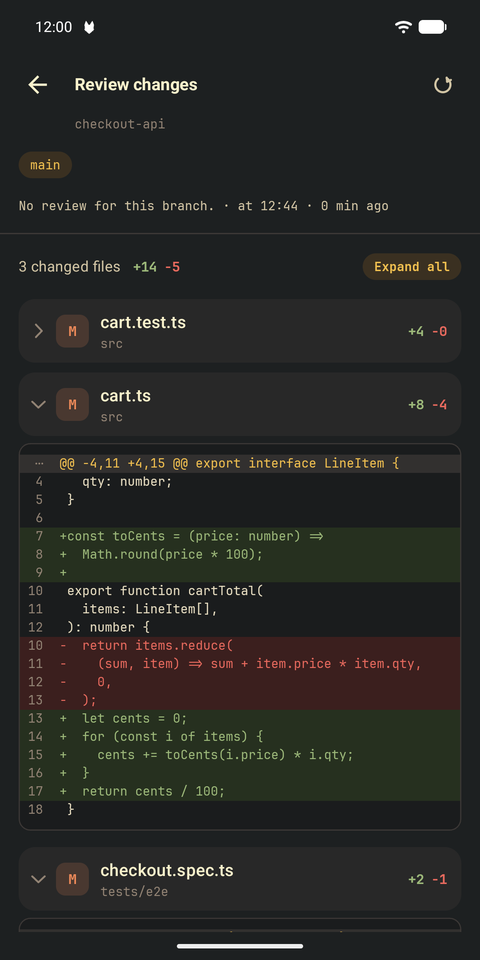
- Check the diff before the next prompt. Change review, git history and the file reader read your project straight from the computer.
- Know when an agent needs you. While the app is connected, an approval notification opens the right conversation.
- Pay once. $25 for lifetime after 30 free days, no subscription, and the SSH terminal stays free.
When Termius is the better fit
Termius does a lot that Mussh does not try to do: SFTP file transfers, port forwarding, Telnet and serial connections, hosts synced between your desktop and your phone, and shared vaults for teams. If your phone time is mostly server work, keep it. Both apps connect over plain SSH, so you can keep Termius for servers and use Mussh for your agents.
What agent work looks like in Mussh
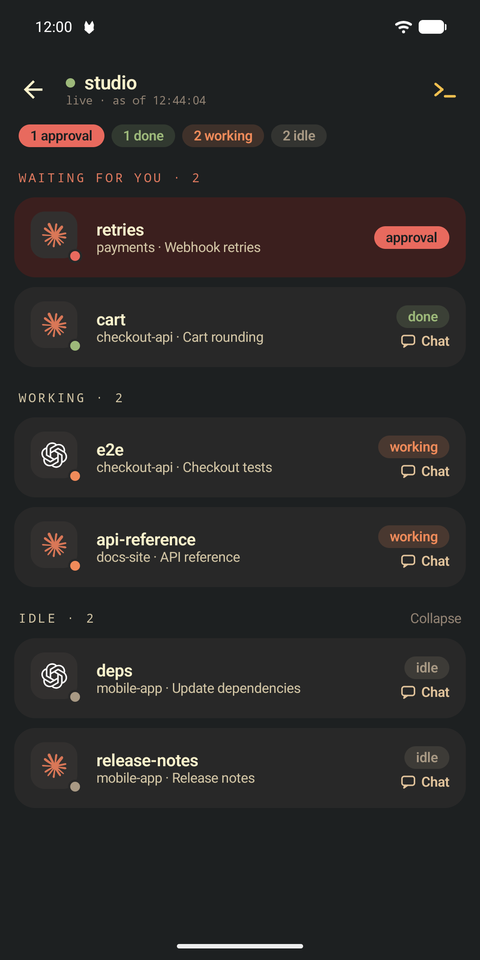
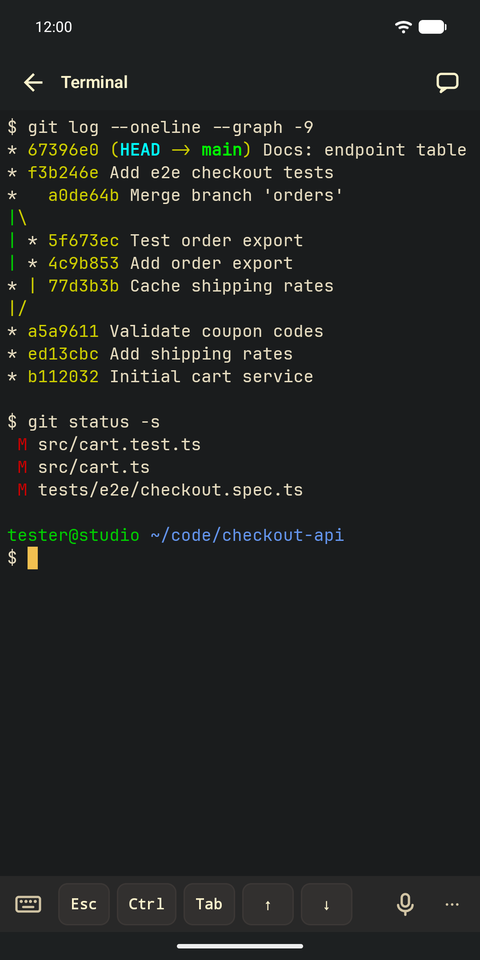
Actual Android emulator captures with a fictional demo project; nothing in the interface has been redrawn. See every walkthrough.
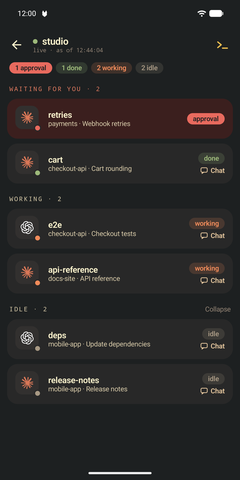
Every agent on your computers, with its status. 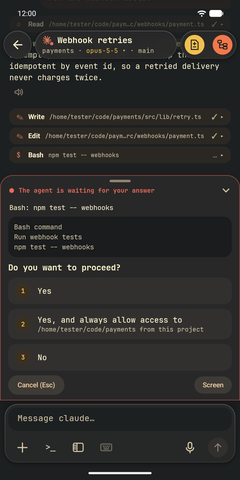
An approval card instead of a keystroke in the terminal. 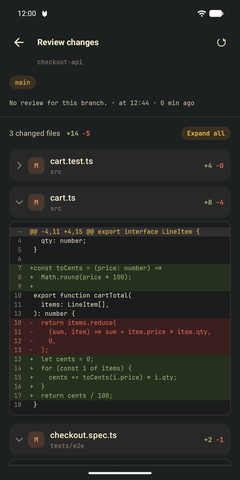
The changed lines, file by file. 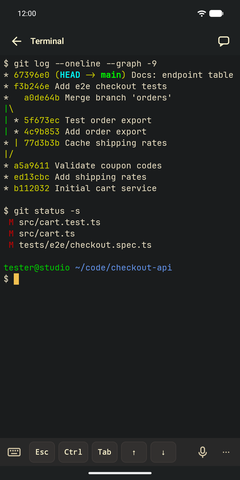
And a full SSH terminal when you need one.
Moving your agents over
- Keep your agents running in Herdr, the Herdr app or tmux on your computer, with its SSH server on.
- Pair the phone: run the pairing command from the app on your computer and scan the QR code. You can also add the computer with your own SSH login.
- Tap an agent to open its chat. The terminal is one tap away.
Free for 30 days, then $25 for lifetime. Also compare Mussh with Moshi, or see every way to run Claude Code and Codex from your phone.