
Compare
Mussh and Moshi compared
Moshi and Mussh both put your coding agents on your phone while the agents keep running on your own computer. They differ in price, in the computers they reach and in how notifications get to you. If you are looking for a Moshi alternative, here are both apps on the same questions.


Mussh and Moshi on the same questions
| Question | Mussh | Moshi |
|---|---|---|
| What is it made for? | Coding agents running on your computer in Herdr, the Herdr app or tmux, read as chats | A terminal built for phones, for driving AI coding agents |
| Which devices does it run on? | Android and iPhone | iPhone, iPad and Android |
| Which computers can it connect to? | Linux, macOS and Windows over SSH, with Windows over its own OpenSSH Server, no WSL needed | Mac, Linux, WSL on Windows or a VPS, over SSH, Mosh or Eternal Terminal |
| Which session managers does it work with? | Herdr, the Herdr app (herdr-core) and tmux | Herdr, tmux and Zellij |
| Do coding agents get a chat view? | Yes, 10 agents, including Claude Code, Codex and Pi (full list) | 18 agents listed with Chat View, through its moshi-hook companion on the computer |
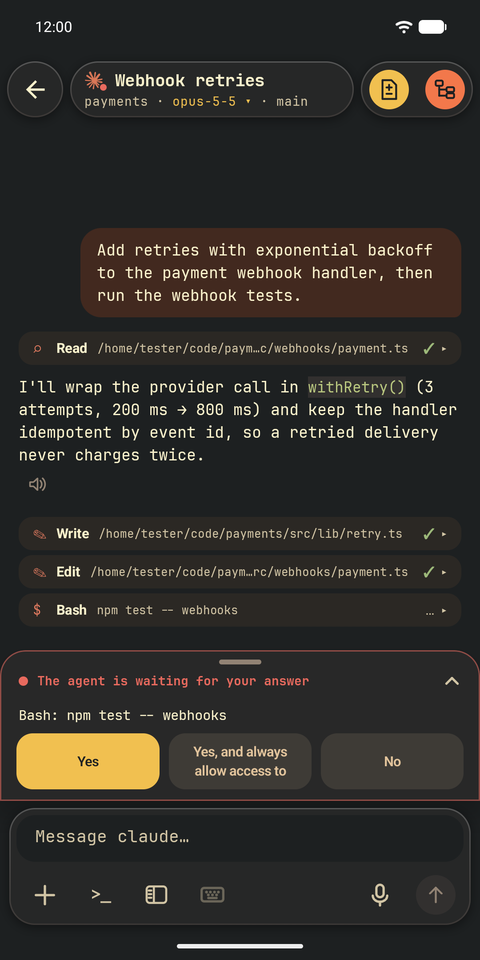
| How do I answer an approval request? | On an approval card with answer buttons, or with Allow or Deny on the notification while the app is connected | In an agent inbox, or from the Lock Screen, Live Activity and Apple Watch |
| How do notifications reach the phone? | Only while the app is connected to your computer; there is no push server | Push notifications through Moshi's server, which receives the notification summary |
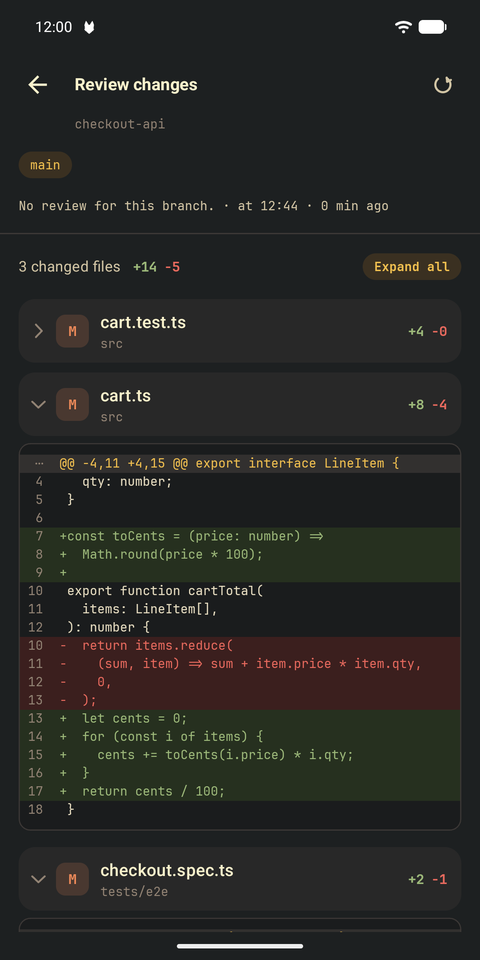
| Can I see what the agent changed? | Change review file by file, git history and a read-only file reader | Diff viewer, file browser and a preview of the computer's dev server |
| What does every feature cost? | Free for 30 days, then $25 for lifetime; the terminal stays free | Free terminal; Pro is $9.99 a month or $89.99 a year, or $199 once as a limited offer |
Moshi features and prices as published at getmoshi.app, getmoshi.app/pricing and getmoshi.app/docs/hooks on 17 November 2026. Store prices can differ by country. Mussh details are in the FAQ and on the pricing page.
Reasons to switch to Mussh
- One payment instead of a subscription. Every feature is $25 for lifetime after 30 free days, and the SSH terminal stays free.
- Windows without WSL. Mussh connects to Windows through its built-in OpenSSH Server, with the fleet, approval cards, chat, file panel and change review working as they do on Linux and macOS.
- Nothing in between. Mussh has no server and no account. The phone talks straight to your computer over SSH, notifications included.
- Chats for agents in the Herdr app. Mussh reads agents in Herdr in the terminal, in the Herdr desktop app (herdr-core) and in tmux, with a switch when one computer runs more than one.
When Moshi is the better fit
Moshi lists more agents with a chat view, push notifications that reach you when the app is not connected, Mosh and Eternal Terminal connections for unreliable networks, Zellij, Live Activity and Apple Watch, image annotation and a dev server preview. If those matter most to you, Moshi covers them; Mussh does not.
What an approval looks like in Mussh
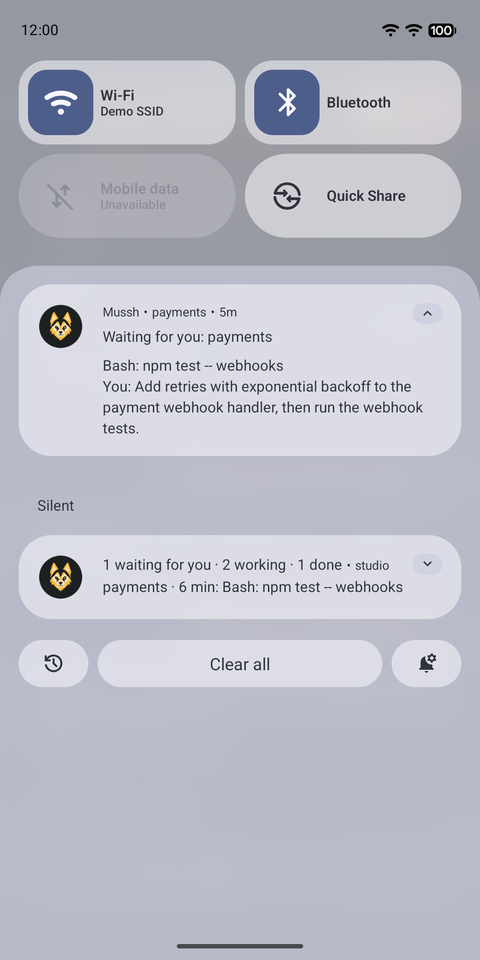
Actual Android emulator captures with a fictional demo project; nothing in the interface has been redrawn. See every walkthrough.
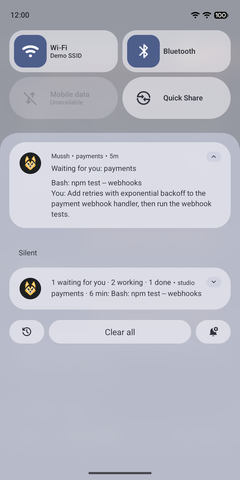
Read the request on the notification, then Allow or Deny. 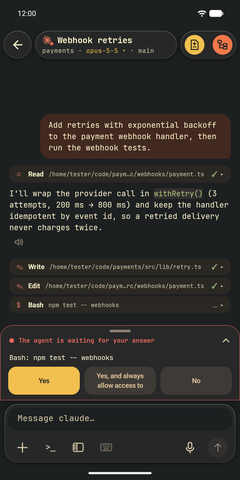
Or tap it and answer in the agent's chat. 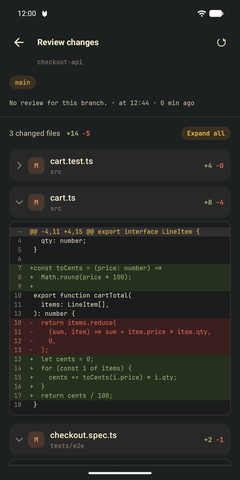
Then check the changed lines, file by file.
Moving from Moshi
- Keep your agents in Herdr, the Herdr app or tmux; Mussh needs no extra program on the computer besides its SSH server.
- Pair the phone with the QR code from the app's pairing command, or add the computer with your own SSH login.
- Tap an agent to open its chat.
Free for 30 days, then $25 for lifetime. Also compare Mussh with Termius, or see every way to run Claude Code and Codex from your phone.